For piano, violin, voice, guitar — every private music teacher

Your studio, booked solid.
No more back-and-forth texts.

Post your hours once. Students pick a time, lock in the same spot every week, and get everything they need to show up — the time, the place and a reminder on their phone. Payments, homework and practice live in the same place. You just teach.

No card needed. Prefer a walkthrough? Book a free 15-minute demo call →

  • Students self-schedule
  • Weekly standing lessons
  • Your own website included
  • No per-lesson fees

Sound familiar?

💬

“Does Tuesday at 4 still work?” — twenty texts every week just to fill your calendar.

🗺️

A student shows up at the wrong time, the wrong place, or not at all.

📓

A notebook (or your memory) for who paid by Venmo, cash — or not yet.

😴

Practice stops the minute they walk out the door.

Cadenza takes care of all four — so your evenings are for teaching, not admin.

Self-scheduling

Put your availability out. Students book themselves.

Set your weekly hours once — Mondays 3–7 at the home studio, Saturday mornings at the church. Students see only the times that are really open, with your lesson lengths and prices, and book in under a minute from their phone.

  • Weekly hours plus one-off extra times
  • Your rules: minimum notice, buffer between lessons, cancellation window
  • Accept or decline each request — or schedule lessons yourself
  • Different locations on different days, or online lessons with a join link
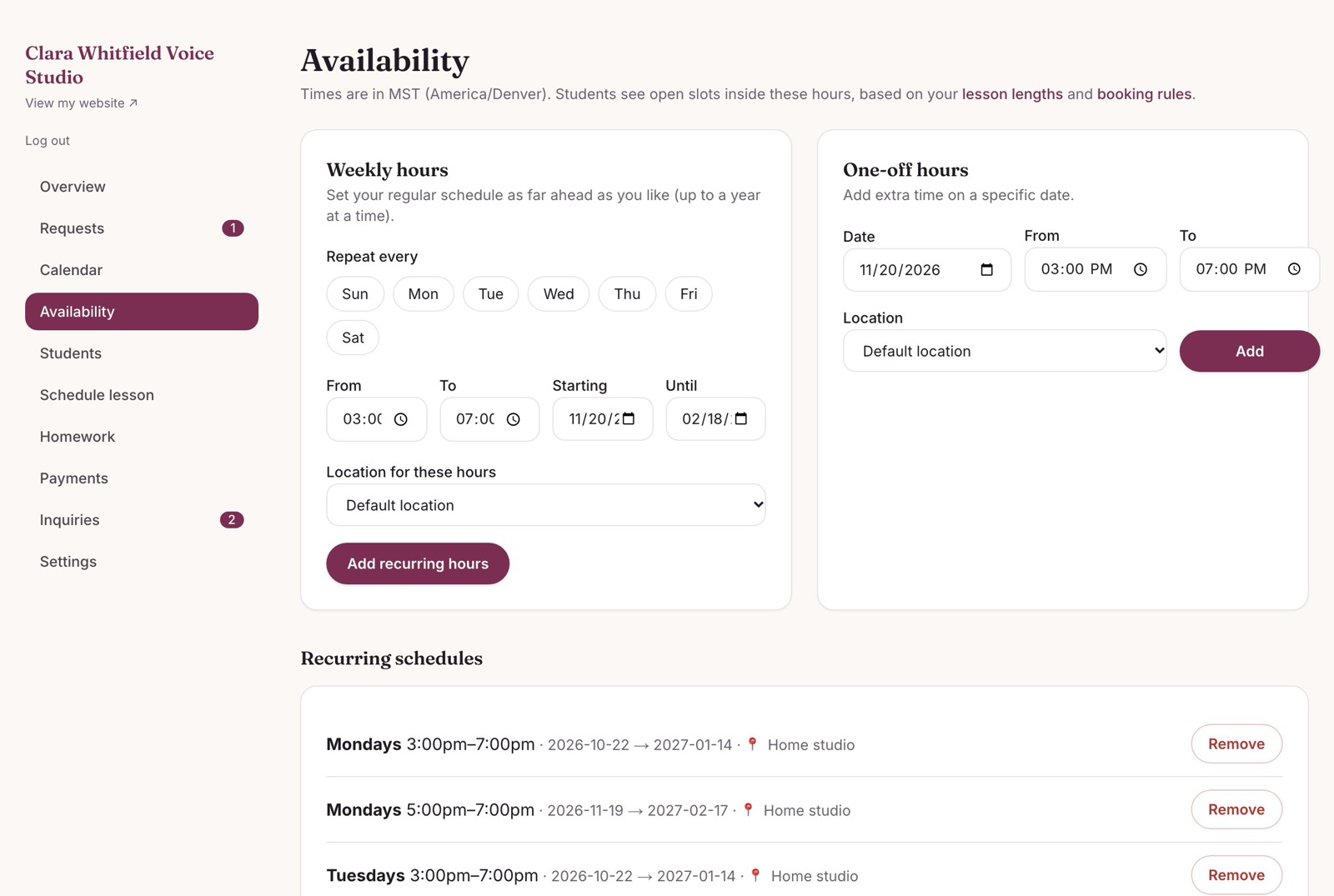
Setting weekly open hours in the teacher dashboard

Recurring students

Same time every week — booked once, kept forever.

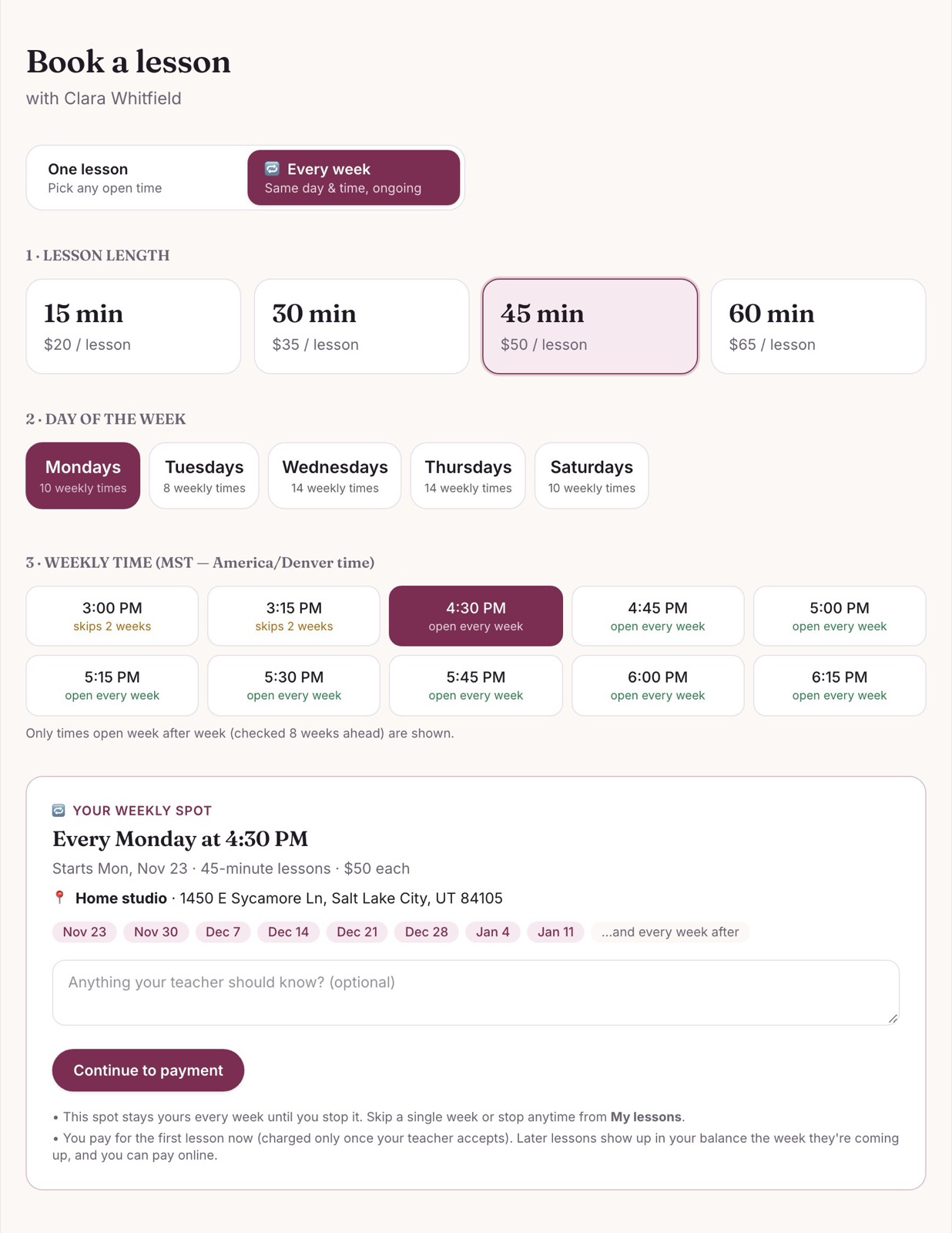
Most students want “their” slot. With one tap on Every week, they only see times that are open week after week — and booking one keeps that spot for them every week until they stop it. No more re-booking, no more double-booking.

  • Shows only times open every week (and warns if a week is skipped)
  • Accept the whole series in one click
  • The calendar keeps itself filled 8 weeks ahead — automatically
  • Students can skip a single week without losing their spot
A student choosing a weekly lesson time

Automatic messages

No more “wait — when is my lesson?”

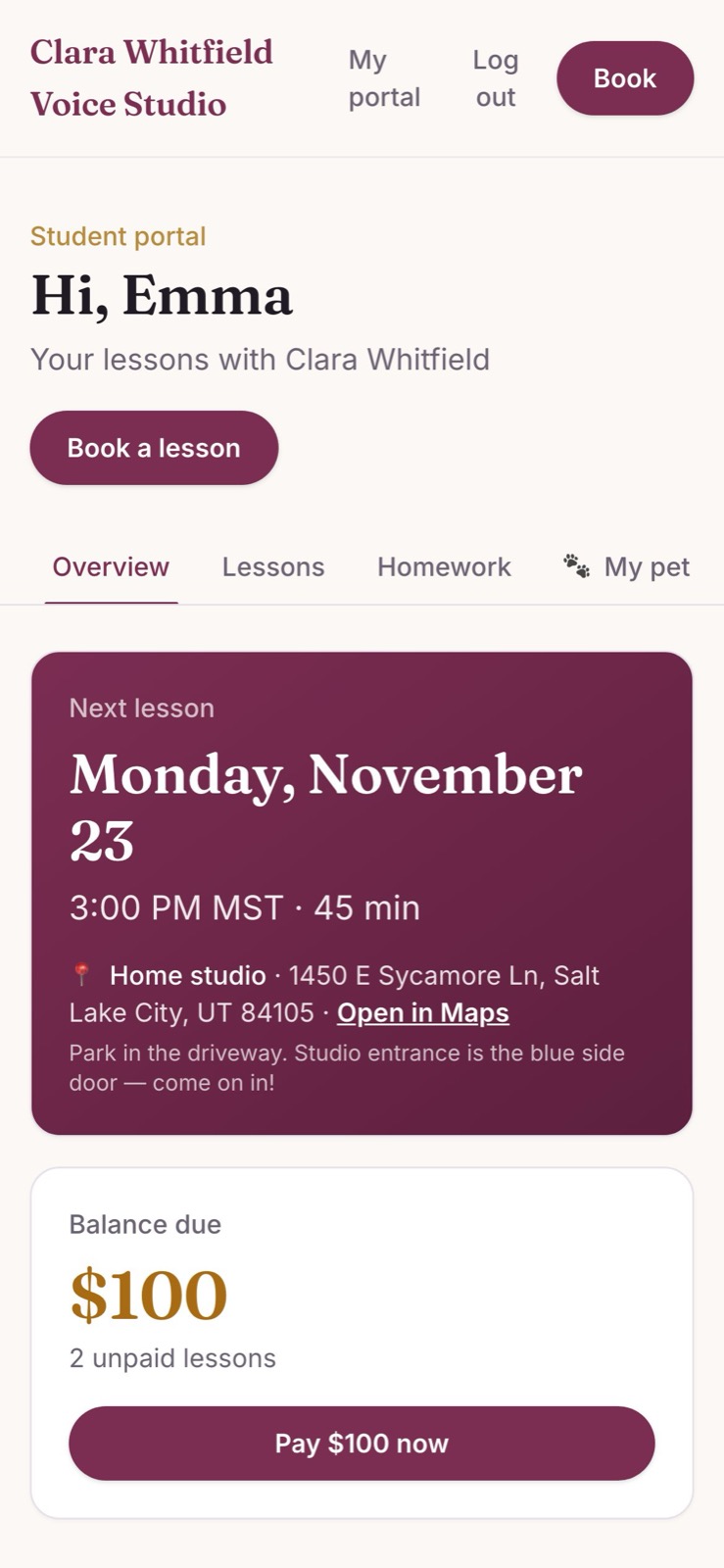
Every booking sends an automatic confirmation with the day, the time and exactly where to go — with a map link, parking notes, or the Zoom link for online lessons. Lessons can drop straight into students’ Google, Apple or Outlook calendar, so their phone reminds them before every lesson.

  • Confirmation, change and cancellation emails — sent for you
  • Calendar sync for students and for you
  • A student portal with the next lesson, place and balance up front
The student's portal on a phone showing their next lesson and location

Payments, tracked for you

Know who’s paid — whether it’s card, Venmo or cash.

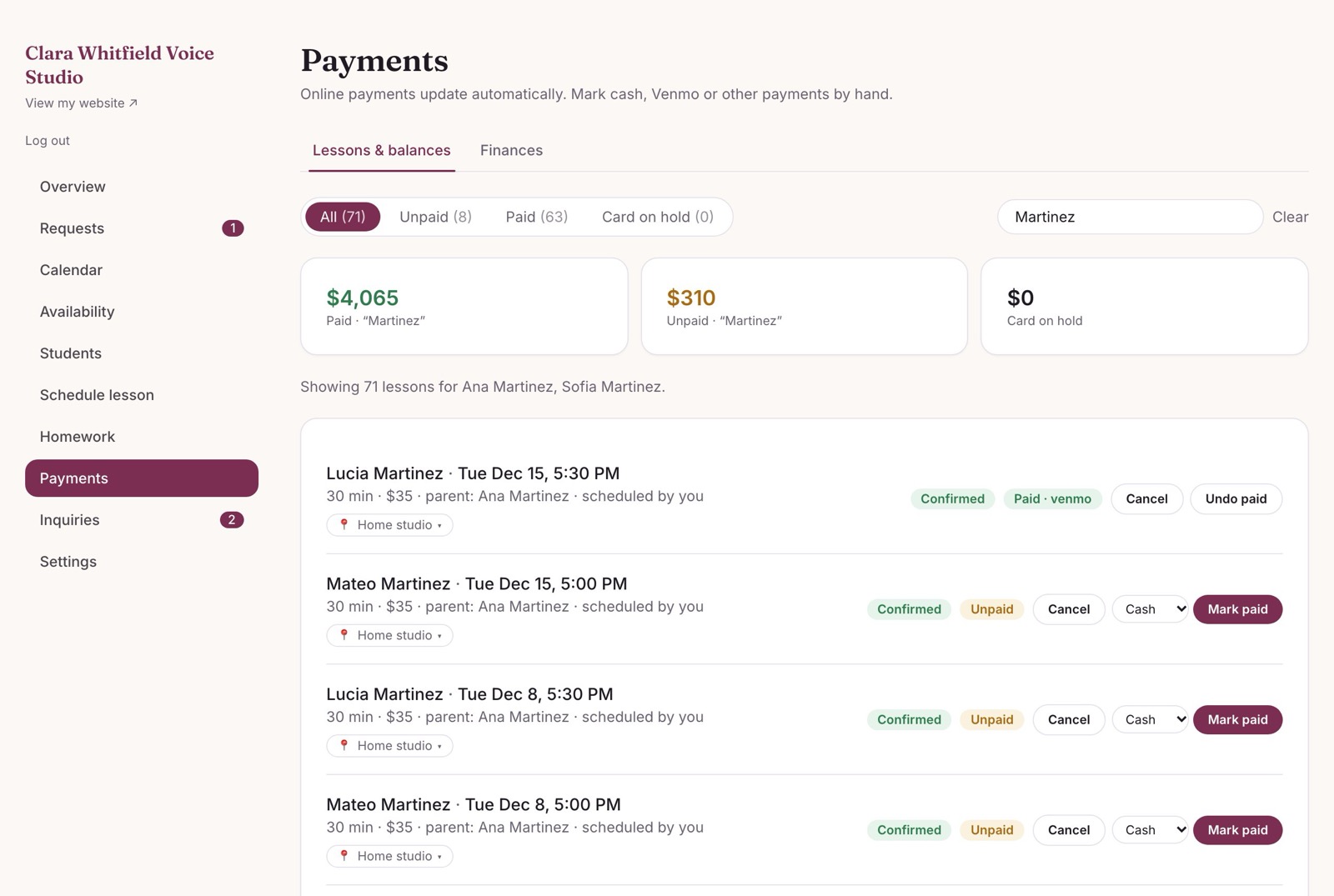
Take cards right in the app — the money goes straight to your bank account. Paid in person? One tap marks it paid by cash, Venmo, Zelle or check. Every family sees their own balance and can pay it online, and you see your monthly earnings at a glance.

  • Card held when a lesson is requested, charged when you accept
  • Unpaid balances add up on their own — nothing to chase in a notebook
  • Monthly earnings and who still owes, at a glance
The payments page tracking card, Venmo and cash payments

Homework & practice

Assign homework they’ll actually see.

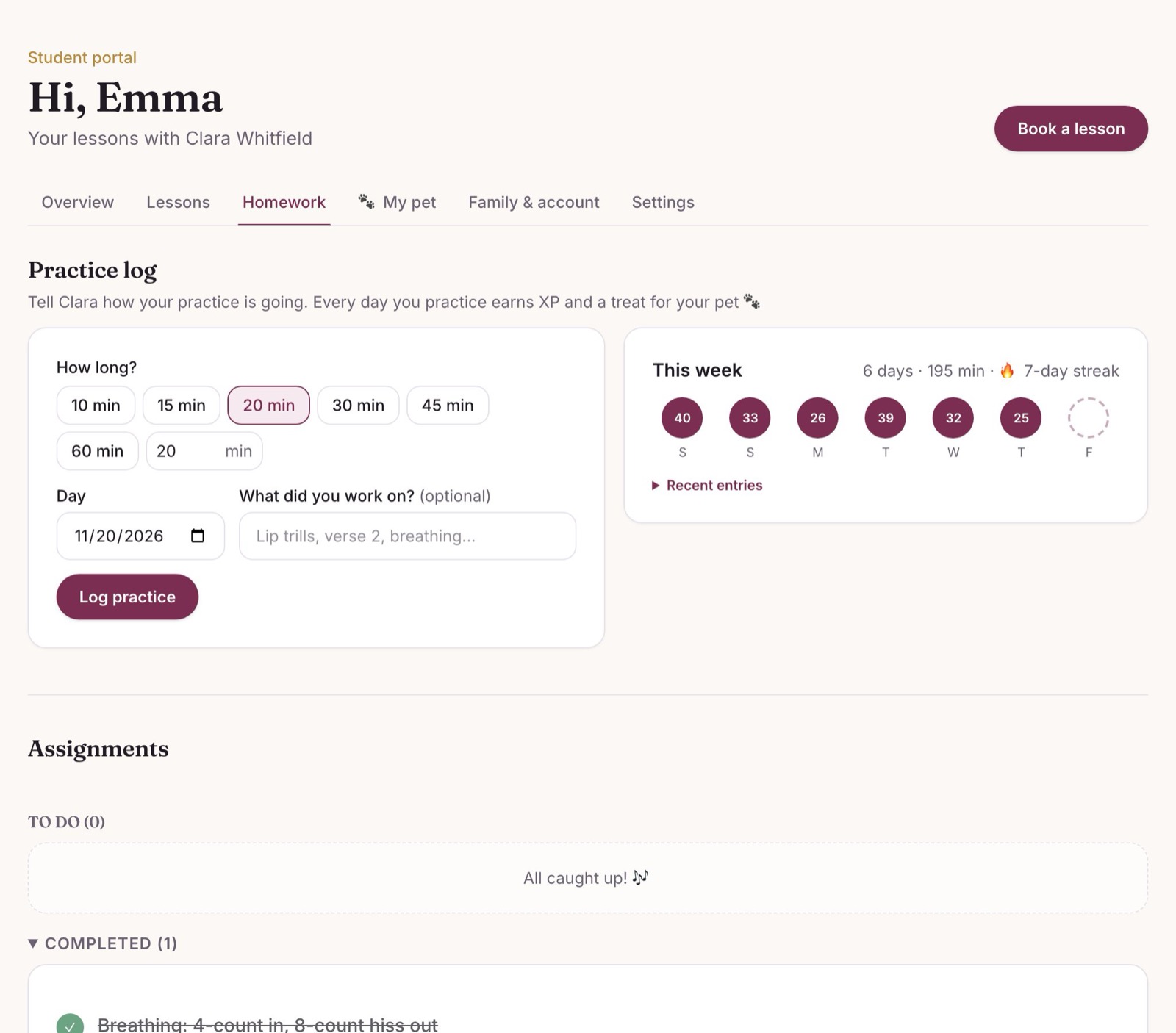
Give each student practice tasks with due dates and attach sheet music. Students tick them off, log their practice minutes and build streaks — and you see exactly how their week went before they walk in.

  • Reusable homework templates for the songs and exercises you always assign
  • Practice log with streaks and weekly minutes
  • Sheet music PDFs and images, kept private to each student
A student's practice log and homework

The fun part

A practice buddy that levels up with them.

Every student adopts a puppy, a kitten or a baby dragon. Practicing, coming to lessons and finishing homework earn XP and treats. They feed their pet, watch it grow — and kids start asking to practice.

Biscuit · Playful Puppy

Mochi · Clever Cat

★

Sparky · Superstar Dragon

From Tiny to Legendary in 9 levels — with new outfits and singing tricks along the way

Level 1 · Tiny
→
♪
Level 4 · bandana
→
★
Level 6 · hero cape
→
★
Level 9 · Legendary

Your website, included

A professional studio website — ready in minutes.

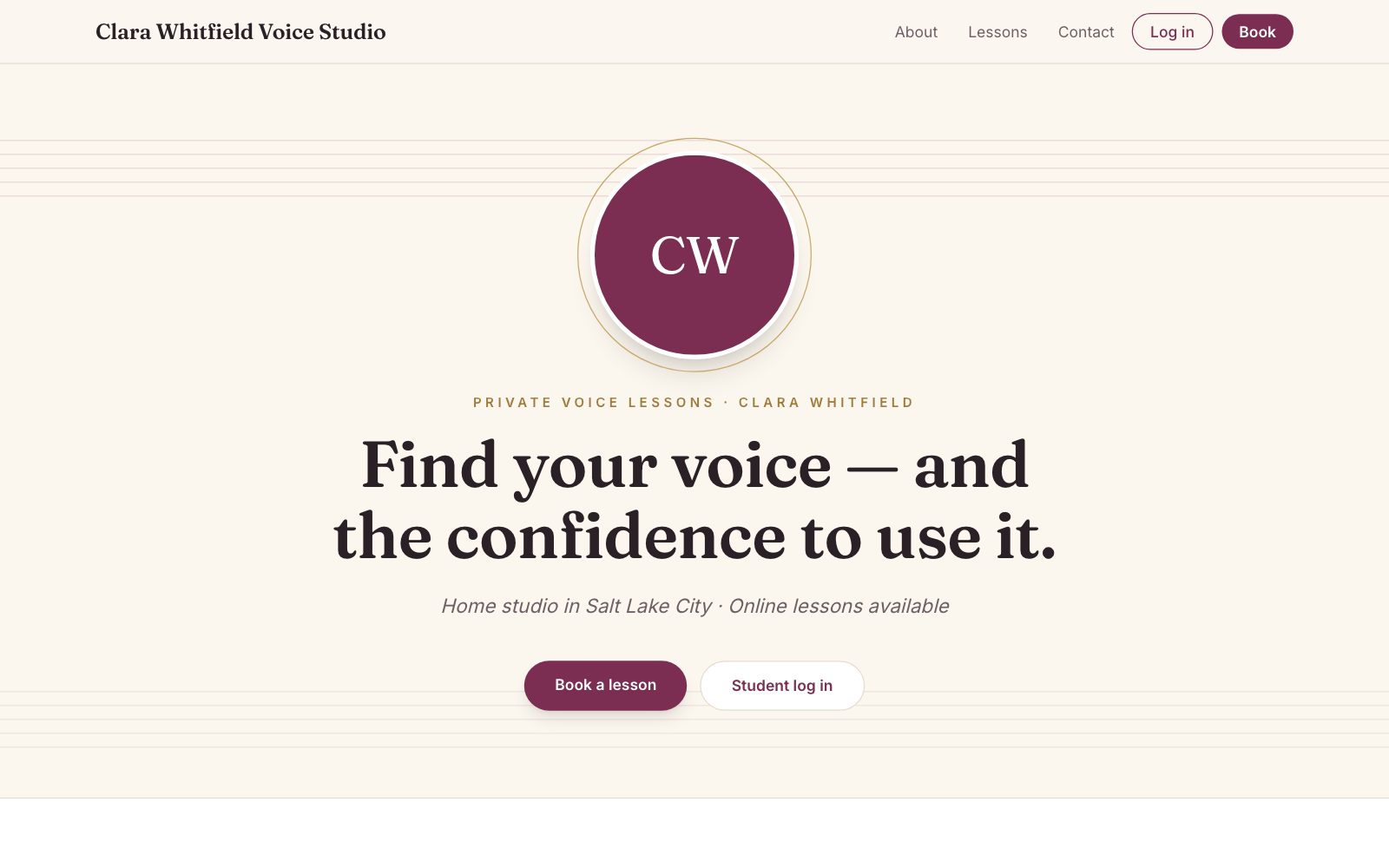
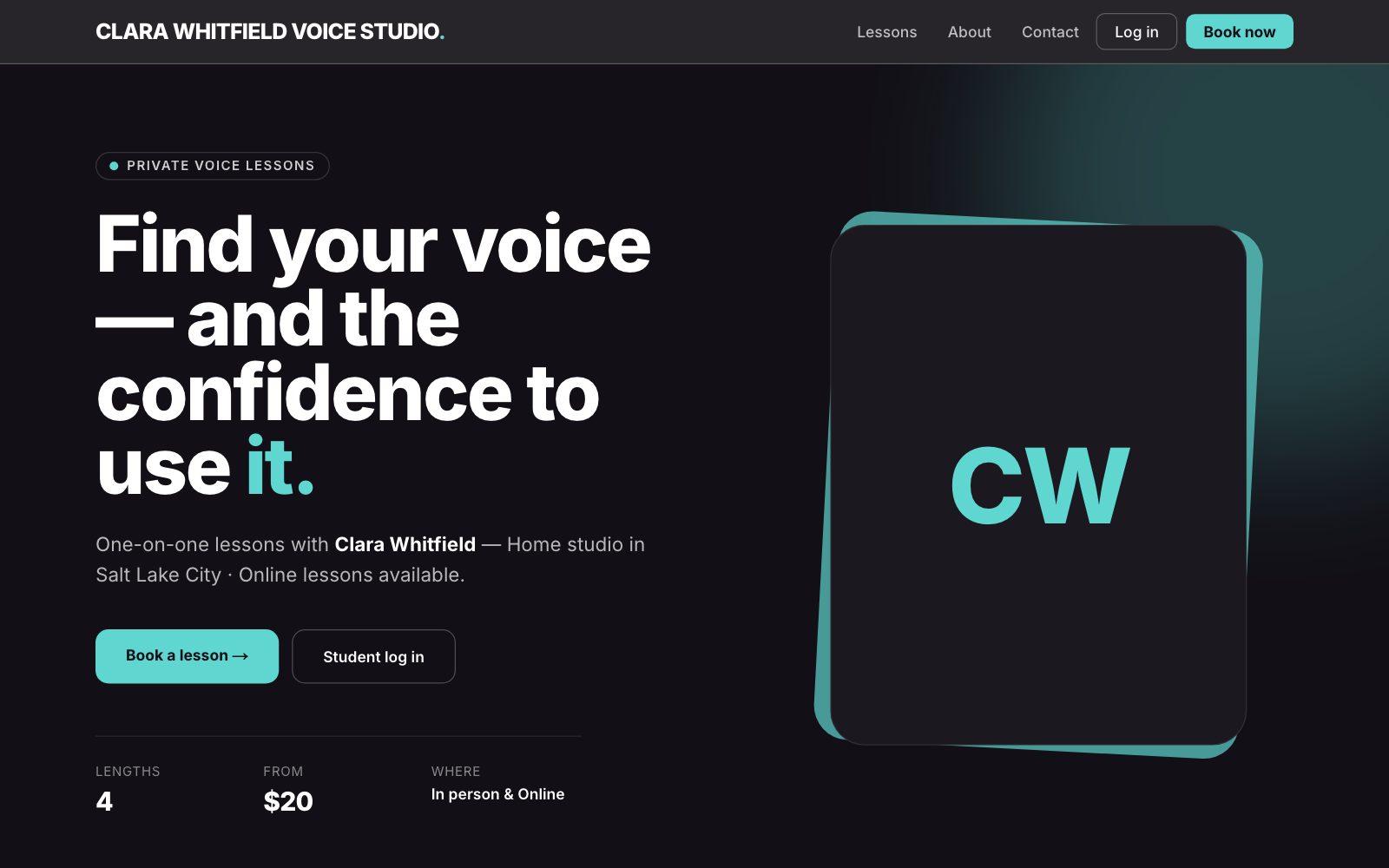
Pick a design, add your name, photo, prices and bio, and your site is live instantly. Its Book and Log in buttons send students straight to your studio — nothing to set up, nothing to maintain. Change designs or colours anytime.

Want something one-of-a-kind? We can build you a fully custom website that plugs into the same booking and portal.

Everything else a busy studio needs

👨‍👩‍👧

Family accounts

One parent login for every kid, one bill.

🌐

Your own website

A studio page with booking buttons built in — or link it from the site you have.

📆

Your calendar

Every lesson in your Google or Apple calendar, if you want it there.

📍

Multiple locations

Home studio, a church room, a school, online — per day or per lesson.

📥

Inquiries

New-student messages from your website land in one inbox.

📱

Works on any phone

Nothing to install — students and parents just open a link.

Built for every kind of private teacher

🎹 Piano🎻 Violin🎤 Voice🎸 Guitar🎻 Cello🥁 Drums🪈 Flute🎺 Brass🪕 Ukulele…and more

Just starting your studio?

Look professional from your very first student — a real booking page, payments and reminders, with no tech skills needed. Spend your time finding students, not managing them.

Already teaching 20+ students?

Stop being the scheduler. Move your weekly regulars into standing lessons, let payments track themselves and get your evenings back.

Up and running in an afternoon

  1. Start your free trial. Create your studio in two minutes — no card needed. Prefer help? Book a free demo call and we’ll set it up with you.
  2. Add your hours, prices and website. Lesson lengths, weekly hours, places — and pick a website design.
  3. Share your website. Students book, pay and practice — you get a calendar that fills itself. Decide at the end of 14 days.

See it for yourself

Scan to try the live demo on your phone.

Point your phone’s camera at the code and tap the link. On the log-in page, pick Teacher view or Student view — no sign-up, no password. You get your own private practice studio, and nothing is real: payments are pretend.

Open the demo
QR code that opens the Cadenza Studios log-in page with the live demo
Scan with your phone camera

Pricing

One simple monthly price.

🎉 Free for 14 days — no card needed

then from $5/month

Your price depends on the size of your studio. Every plan includes everything on this page — your website too.

  • No per-lesson fees — we never take a cut of your lessons
  • Card payments from students go straight to your bank (standard Stripe card fees apply)
  • Pay monthly by card or Venmo — cancel anytime
Start my free trial

Or book a demo call and get your price →

Questions teachers ask

Do my students need to download an app?

No. Everything works in the web browser on any phone, tablet or computer. Students and parents just open your link and log in.

Can I still take cash and Venmo?

Yes. Card payments are optional. Mark any lesson paid by cash, Venmo, Zelle or check with one tap — balances update for you and for the family.

What if a weekly student needs to skip a week?

They skip just that lesson from their portal (inside your cancellation window rules) and keep their weekly spot. You can cancel or move single lessons too.

Can parents book for more than one child?

Yes. One family login holds every child, each with their own lessons, homework and practice pet — and one balance for the parent.

I teach in more than one place — and some lessons online.

Save each location (with parking notes or a meeting link), set which days you’re where, or change a single lesson. Students always see where to go.

Do I need my own website?

No — you get a studio page with booking built in. If you already have a website, add a “Book a lesson” button that links to it.

Can other teachers see my students?

Never. Each teacher only ever sees their own students, lessons and payments.

Is there a free trial?

Yes — 14 days with everything unlocked, and no card needed to start. Add a card any time (you’re only charged when the trial ends) or pay by Venmo.

Can I use my own website or get a custom one?

Every studio gets a ready-made website in your choice of design. Already have a site? Just add a “Book a lesson” button that links to your studio. Want something unique? We can build a custom site that plugs into the same booking and portal.

Is there a contract?

No. It’s month to month and you can cancel anytime.

Let’s get your studio set up.

Book a free 15-minute virtual demo and we’ll walk through it together on a video call — or just send a question. Either way, a real person gets back to you within one business day.

  • See your own studio, not a sales deck
  • We’ll help you move your current students over
  • No pressure, no commitment
Where are you at?

When works best for a 15-minute video call?